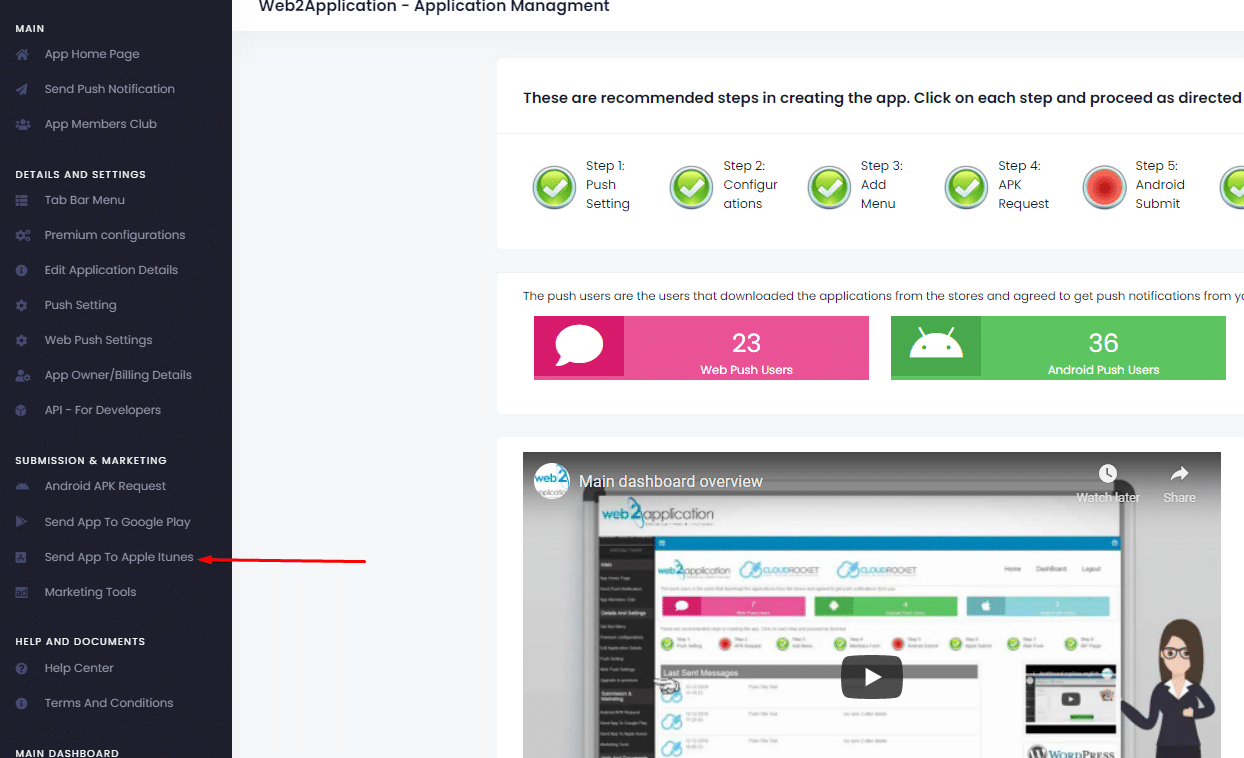
After you have an apple developer account (please make sure your developer account is approved by apple) all you need to do is to enter your app dashboard in our system and ask us to upload the app to your developer account.
When you enter the submit form you will have all instructions. Please follow the instructions (if you all ready share firebase with us there is no need to share again)
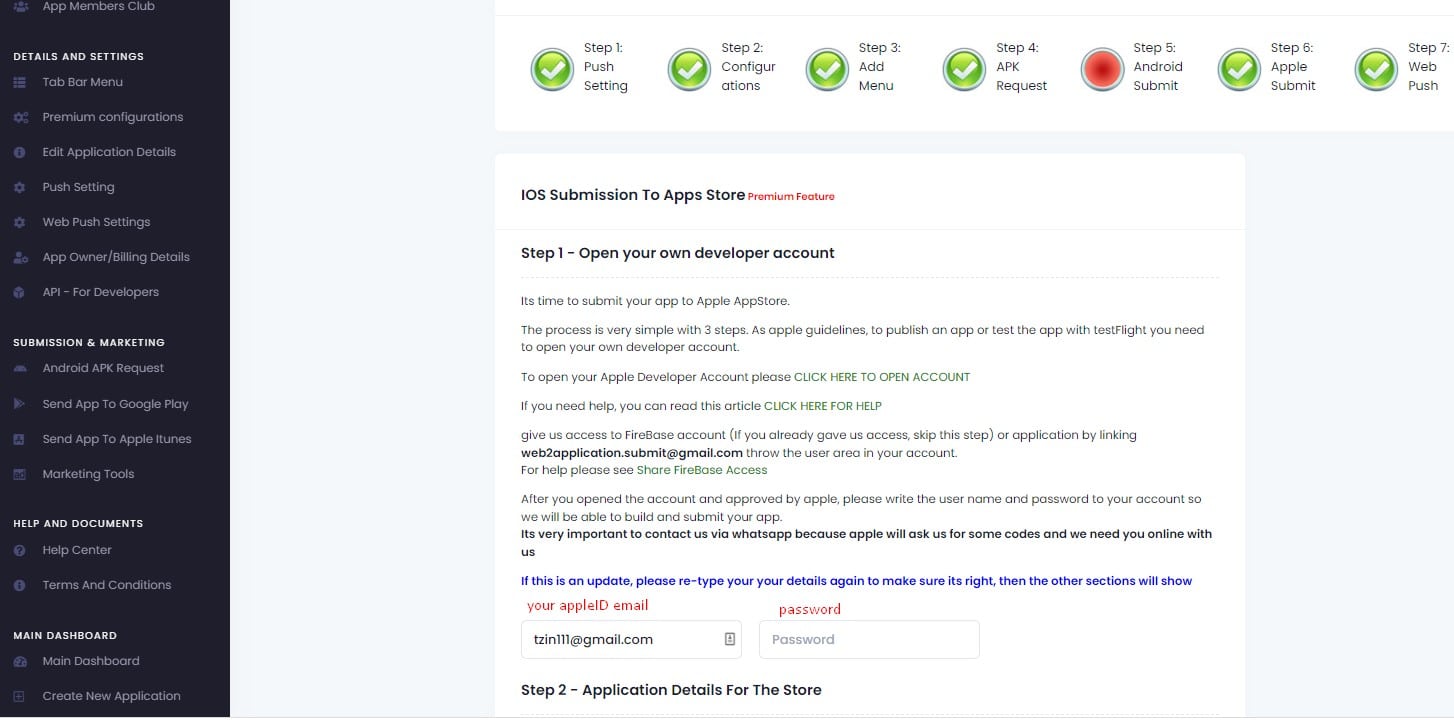
please make sure you all ready contact the premium support via WhatsApp, If not please contact them.
Its very important that they will be able to reach you if there is any problem and the submit team will need the 2 auth codes to connect Xcode and upload your apps.
After the app will be uploaded to your developer account you will get an email and WhatsApp message
How to Request Apple App Submission with Web2Application
Once you have an approved Apple Developer account, submitting your app through Web2Application is simple. Just log in to your app dashboard and use the submission form to request Apple upload.
Follow the detailed instructions provided in the submission form carefully. If you have already shared your Firebase credentials with us for push notifications, there is no need to share them again.
It is essential to contact our premium support team via WhatsApp before submission. They will assist you with the two-factor authentication codes required to connect Xcode and upload your app to your Apple Developer account.
After successful upload, you will receive confirmation via email and WhatsApp.
Why Use Web2Application for Apple App Submission?
- Step-by-step submission guidance within your dashboard
- Dedicated premium WhatsApp support for quick problem resolution
- Secure handling of your Apple Developer credentials and 2FA codes
- Streamlined process to meet Apple’s guidelines and requirements
Ready to submit your app? Sign up now and start building your native iOS app today!
Frequently Asked Questions
Do I need an Apple Developer account to submit my app?
Yes, you must have an approved Apple Developer account before requesting app submission through Web2Application.
How do I share the two-factor authentication codes required for Apple submission?
You will share the two-factor authentication codes securely with our premium support team via WhatsApp, who will assist in connecting Xcode for app upload.
Can I submit my app without contacting premium support?
No, contacting premium support is important to ensure smooth submission and to provide necessary authentication details.
Will I receive confirmation after my app is uploaded to Apple?
Yes, you will get confirmation via email and WhatsApp once your app is successfully uploaded to your Apple Developer account.
Ready to turn your site into an app?
Create your app with Web2Application — convert your website to Android and iOS apps.

 By
By