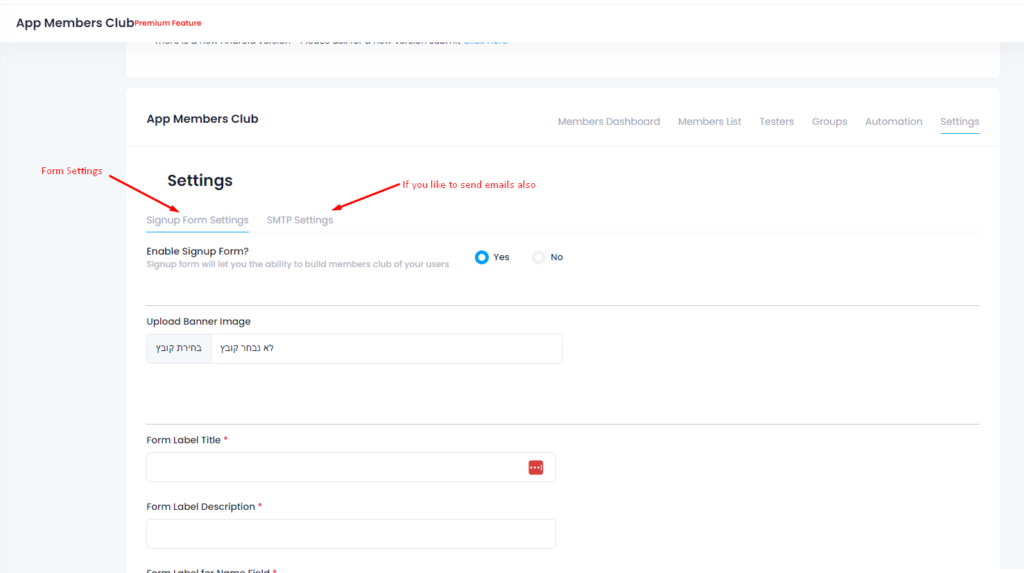
After we open the app, we need to configure all the settings for the proper App configuration. On this screen, you will see all the settings that the app can have for Android and iOS. In the first section, you can enable the membership form, don’t enable it until the apps are approved by Google and Apple. It will add a member club popup form and your client will be able to sign to your members club, but, please note, that Google and Apple will ask you some questions about why you ask for the user details. Allow landscape zoom in and zoom out, deep linking, deep linking is when somebody clicks on your site link over the web and the phone will ask him, where do you want to open this link? Inside the app or inside the browser?. You can also select permissions if you want permission to upload files. It’s recommended to leave it as the default setting. Geolocation, Please enable only if you need it for your site and you have geolocation working on your website. Google and Apple will ask you why you need geolocation, this is a privacy issue. You can translate the form fields and labels. for iOS, you can add a back button, and if you want to change the color of the status bar.
Push notification settings, you can select the sound, add buttons like share buttons and call now in your smart push notifications. you can also translate button titles.
advanced App configuration settings, normally leave it as is, no need to touch it. You can control here if you want a progress bar, disable the cache, and enable the cache. But all of that can be changed after you approve the apps. Its better to leave it as is for the start and you can change it at any time.
Click Continue to the next
How to Configure Your App Settings on Web2Application
After opening your app dashboard on Web2Application, you can configure all essential settings for your hybrid Android and iOS apps with a native shell. This guide helps you understand each option to optimize your app’s functionality and comply with store policies.
- Membership Form: Enable this only after app approval by Google and Apple. It adds a member club popup allowing users to sign up. Note that stores may ask why you collect user details.
- Landscape Zoom: Allow users to zoom in and out in landscape mode for better usability.
- Deep Linking: Enables users to open links either inside the app or the browser, improving navigation and engagement.
- Permissions: Control file upload permissions. Default settings are recommended for most apps.
- Geolocation: Enable only if your website uses geolocation features. Stores require justification due to privacy concerns.
- Translation: Translate form fields and button labels to support multiple languages.
- iOS Specific: Customize the back button and status bar color for a native look and feel.
- Push Notifications: Configure sounds, add interactive buttons like “Share” or “Call Now,” and translate button titles for effective communication.
- Advanced Settings: Control progress bar visibility, cache behavior, and other options. It’s best to keep defaults initially and adjust after app approval.
Once configured, click Continue to proceed to the next step in your app creation process.
Frequently Asked Questions (FAQ)
When should I enable the membership form in my app?
Enable the membership form only after your app is approved by Google Play and Apple App Store. This ensures compliance with their policies regarding user data collection.
What is deep linking and why is it important?
Deep linking allows users to open website links directly inside your app or in the browser, enhancing user experience by providing seamless navigation.
Do I need to enable geolocation for my app?
Enable geolocation only if your website uses location-based features. Both Google and Apple require you to justify this due to privacy regulations.
Can I customize push notification buttons?
Yes, you can add interactive buttons like “Share” and “Call Now” to your push notifications and translate their titles to match your app’s language.
Related Resources
- How to Enable Push Notifications
- Submit Your Android App to Google Play
- Submit Your iOS App to Apple App Store
- Integrate Your WordPress Site with Web2Application
Ready to configure your app?
Sign up now at Web2Application.com and start building your native Android and iOS apps with ease.
Frequently Asked Questions
When should I enable the membership form in my app?
Enable the membership form only after your app is approved by Google Play and Apple App Store. This ensures compliance with their policies regarding user data collection.
What is deep linking and why is it important?
Deep linking allows users to open website links directly inside your app or in the browser, enhancing user experience by providing seamless navigation.
Do I need to enable geolocation for my app?
Enable geolocation only if your website uses location-based features. Both Google and Apple require you to justify this due to privacy regulations.
Can I customize push notification buttons?
Yes, you can add interactive buttons like "Share" and "Call Now" to your push notifications and translate their titles to match your app’s language.
Ready to turn your site into an app?
Create your app with Web2Application — convert your website to Android and iOS apps.
App Configuration Features Explained
- Membership Form: Enable this feature only after your app is approved by Google and Apple. It adds a member club popup for user sign-ups. Be prepared to explain why you collect user details during store reviews.
- Landscape Zoom: Allows users to zoom in and out when using the app in landscape mode, improving usability.
- Deep Linking: Lets users open website links inside the app or the browser, enhancing navigation and engagement.
- Permissions: Manage file upload permissions. The default settings are recommended for most apps to ensure smooth operation.
- Geolocation: Enable only if your website uses geolocation features. Google and Apple require justification due to privacy policies.
- Translation: Translate form fields and button labels to support multiple languages and reach a wider audience.
- iOS Customization: Customize the back button and status bar color to create a native look and feel for iOS users.
- Push Notifications: Configure notification sounds, add interactive buttons like share or call now, and translate button titles for better user engagement.
- Advanced Settings: Control progress bar visibility, cache enable/disable options. It’s best to leave these as default initially and adjust after app approval.
After configuring your app settings, you can generate a test APK to try out your app on Android devices. Web2Application also offers a 14-day Premium trial to explore advanced features like push notifications and store submission support.
Create Your App Free today, generate your test APK, and start configuring your app with all essential features for Android and iOS.
Frequently Asked Questions about App Configuration
- When should I enable the membership form in my app?
- Enable the membership form only after your app is approved by Google and Apple stores to avoid review issues related to user data collection.
- What is deep linking and why is it important?
- Deep linking allows users to open website links either inside the app or in a browser, improving navigation and user engagement within your app.
- Do I need to enable geolocation in my app?
- Only enable geolocation if your website requires it and you have a valid reason, as stores require privacy justification for this feature.
- Can I customize the app appearance for iOS?
- Yes, you can customize the back button and the status bar color to match your brand and provide a native iOS experience.
- How do push notifications work in Web2Application apps?
- You can configure sounds, add interactive buttons, and translate notification elements. Push notifications require a Premium plan and Firebase setup.
Frequently Asked Questions
When should I enable the membership form in my app?
Enable the membership form only after your app is approved by Google and Apple stores to avoid review issues related to user data collection.
What is deep linking and why is it important?
Deep linking allows users to open website links either inside the app or in a browser, improving navigation and user engagement within your app.
Do I need to enable geolocation in my app?
Only enable geolocation if your website requires it and you have a valid reason, as stores require privacy justification for this feature.
Can I customize the app appearance for iOS?
Yes, you can customize the back button and the status bar color to match your brand and provide a native iOS experience.
How do push notifications work in Web2Application apps?
You can configure sounds, add interactive buttons, and translate notification elements. Push notifications require a Premium plan and Firebase setup.

 By
By