Convert WordPress To App Using Advanced Plugin
- nir
- July 23, 2023
- web to applicataion features
- Wordpress Into App, Wordpress To App
- 0 Comments
WordPress To App
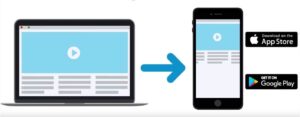 There are so many companies claiming to change the WordPress website into an app. Some of them offer ready-made steps, and then you have others who are looking for help from experts to cover the task on their behalf. Now, reputed centers are offering an advanced plugin, which will convert Wordpress To App much as you have asked for.
Through the plugins, you are able to convert the WordPress website into mobile apps for iPhone iOS and Android operating systems. It helps in configuring the advanced features automatically like the Web Push Messages and more.
WordPress Into App Features
Once you are done activating the plugin in your WordPress website, there are some simple yet amazing benefits waiting for you to unveil. So, let’s get to find these options right now.
- You get the opportunity to set up and then send messages to Firefox and Chrome browsers once you are done converting Wordpress Into App.
- You can further change the app’s splash screen and then use the same for advertisement purposes.
- Any kind of change that you are planning to make to your website, those changes will get automatically updated in that said app.
- Now, you get the chance to control app features like TAB BAR, ZOOM, and so much more.
- Get this golden chance to send the push messages with the help of a link to the content, which will be displayed once you click on it.
Apart from these points mentioned already, there are so many other advanced features that are waiting for you once you have converted your WordPress website into a fully functional and easily navigable app around here. Once you are used to the advanced plugin, the features will come through with it.
Activate the plugin to get the desired result:
Once you have installed this plugin for converting the WordPress website into an app, you need to activate the same. For that, keep the API key handy and enter that from the main system. There are all the necessary instructions given, and you can follow the same. In case you face any issue while covering the steps, make sure to take screenshots and send the same to the team through messenger. The team is always open 24 x 7 and ready to serve you with the results you have asked for.
Once you have installed the plugin and entered the API key, the service will start working automatically. Now, you have a picture-perfect app by your side!
Frequently Asked Questions
- What is Web2Application?
- Web2Application is a platform that converts websites, including WordPress sites, into hybrid Android and iOS apps with a native shell with advanced features and easy configuration.
- How does the WordPress plugin work?
- The Web2Application WordPress plugin connects your website to the platform via an API key, syncing content and enabling app features such as push notifications and automatic updates.
- Do I need coding skills to convert my WordPress site into an app?
- No coding skills are required. The plugin and platform provide a user-friendly dashboard to configure and customize your app easily.
- Can I send push notifications through the app?
- Yes. After setting up Google Firebase in the dashboard, you can send push notifications to app users and even to web browsers like Chrome and Firefox.
- Will updates to my WordPress site reflect in the app?
- Yes. Changes made to your WordPress website automatically update in your app, ensuring your content is always current.
- How do I get support if I face issues?
- Web2Application offers 24/7 support via messenger and WhatsApp. You can also access detailed documentation and tutorials in the dashboard.
Ready to Convert Your WordPress Website into a Powerful Mobile App?
Sign up now at Web2Application.com and start building your hybrid Android and iOS apps with a native shell with our advanced WordPress plugin and easy-to-use platform.
Frequently Asked Questions
What is Web2Application?
Web2Application is a platform that converts websites, including WordPress sites, into hybrid Android and iOS apps with a native shell with advanced features and easy configuration.
How does the WordPress plugin work?
The Web2Application WordPress plugin connects your website to the platform via an API key, syncing content and enabling app features such as push notifications and automatic updates.
Do I need coding skills to convert my WordPress site into an app?
No coding skills are required. The plugin and platform provide a user-friendly dashboard to configure and customize your app easily.
Can I send push notifications through the app?
Yes. After setting up Google Firebase in the dashboard, you can send push notifications to app users and even to web browsers like Chrome and Firefox.
Will updates to my WordPress site reflect in the app?
Yes. Changes made to your WordPress website automatically update in your app, ensuring your content is always current.
How do I get support if I face issues?
Web2Application offers 24/7 support via messenger and WhatsApp. You can also access detailed documentation and tutorials in the dashboard.
Ready to turn your site into an app?
Create your app with Web2Application — convert your website to Android and iOS apps.